
Ricoh GR III
Can You Save More Than 3 Recipes on a Ricoh GR III?
Yes. Save up to six User Mode boxes, then assign three to U1, U2, and U3. Follow the Ricoh GR III menu path and learn how to swap recipes without overwriting them.
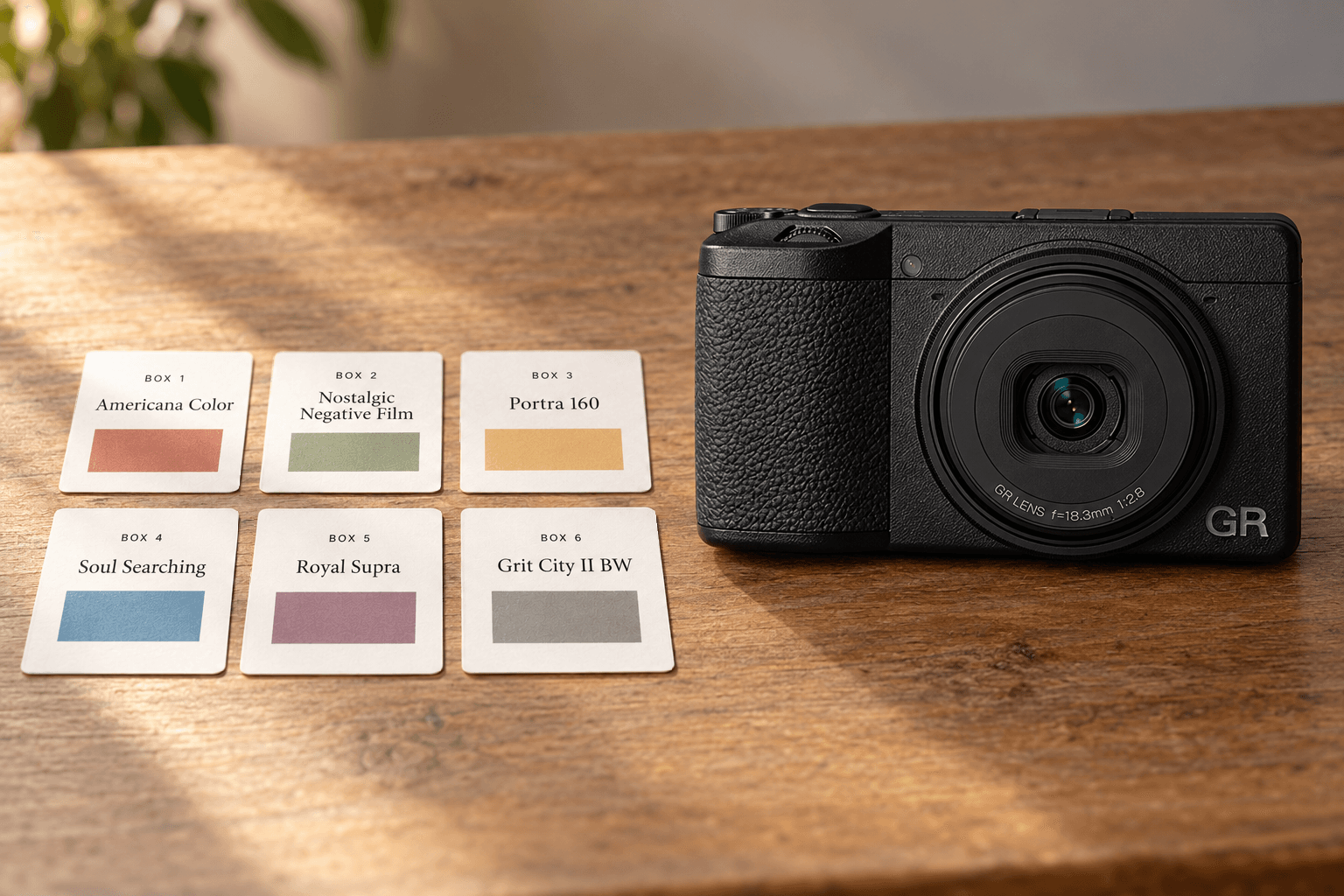
Yes. The Ricoh GR III can save six shooting setups in its User Mode boxes. The mode dial gives you three quick-recall positions, U1, U2, and U3. Save recipes in the six boxes, then choose which three are assigned to the dial.
That distinction is easy to miss. If you have been treating U1, U2, and U3 as the camera's only three save slots, you can keep more recipes on the camera without replacing the box you saved earlier.
Save a recipe in one of the six boxes
- Choose a recipe for the GR III. Check the camera label before copying settings. The FilmStockLab recipe library shows recipe details and the camera models each recipe is listed for.
- Enter the recipe settings on the camera. Set the Image Control and other values listed in the recipe. Before saving, check the shooting setup too. A User Mode box can store more than the color look, including exposure mode and other camera settings.
- Save the setup. Press the MENU button, open the C1 menu, and choose User Mode, then Save Settings. Select an unused box from BOX1 through BOX6, confirm, and give it a name if you want.
- Assign a box to the dial. In the same User Mode menu, choose Recall. Select USER1 (U1), USER2 (U2), or USER3 (U3), then choose the box you want that dial position to recall. Repeat for the other positions.
You can now turn the mode dial to U1, U2, or U3 to recall the assigned setup. The six boxes are your saved library. The three dial positions are shortcuts to three boxes at a time.
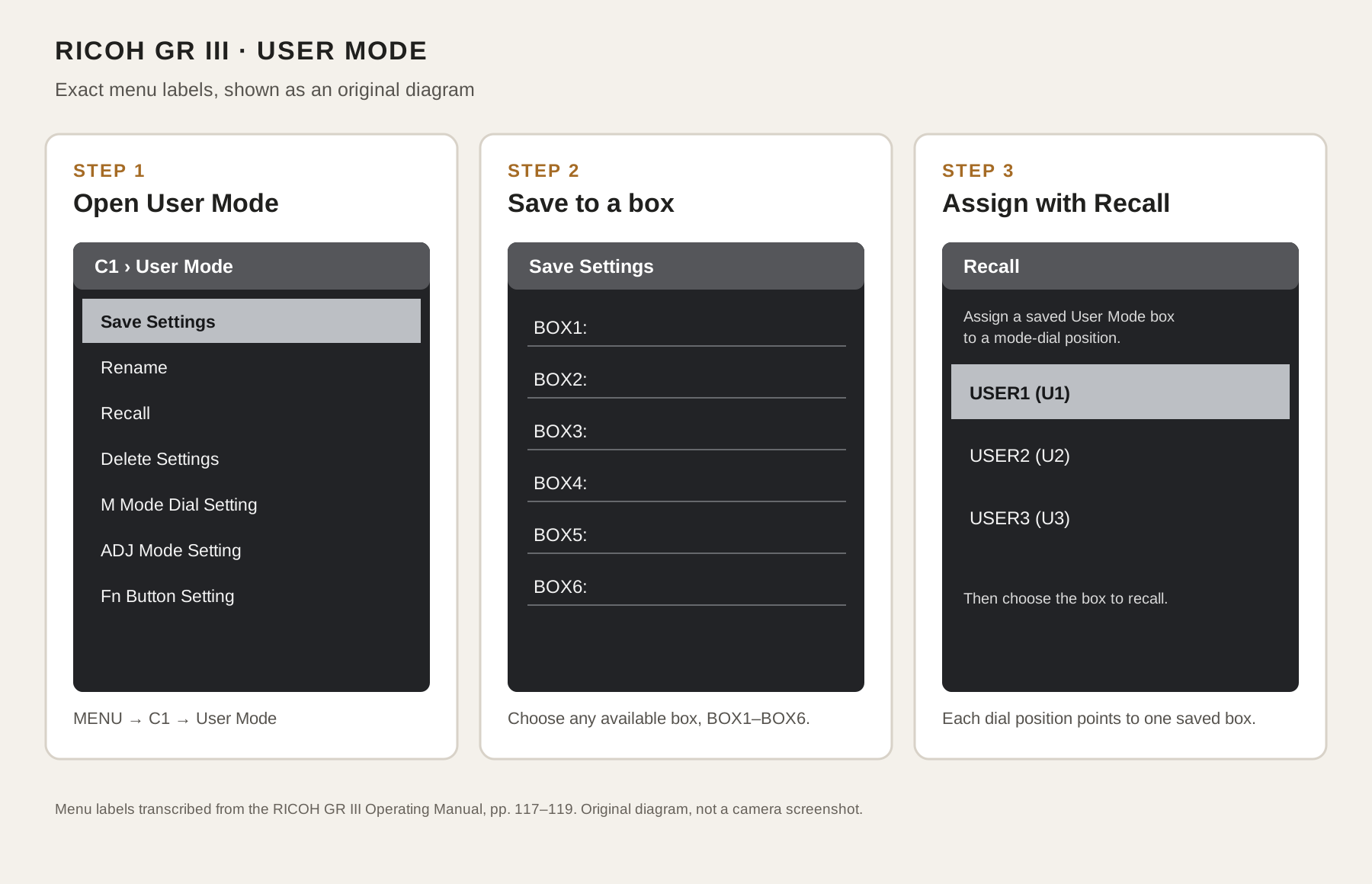
Menu map transcribed from Ricoh's GR III operating manual. This is an original explanatory diagram, not a screenshot.
Swap in another saved recipe
To use a fourth recipe, save it to an available box, such as BOX4. Then open User Mode > Recall and assign BOX4 to whichever dial position you want to replace. The other boxes remain saved, so you can use Recall again later to put a different box on that position.
Use names that tell you what the setup is for, not just which recipe number it came from. For example, a name can note the light or subject you had in mind. That makes the six boxes easier to manage when you are packing for a walk or changing looks in the field.
Check these settings before saving
A User Mode box stores a shooting setup, not only an Image Control recipe. Ricoh's manual notes that the saved setup can include exposure mode, exposure compensation, menu settings, and other options. Review the settings on screen before saving so a recipe does not unexpectedly recall a shutter mode, focus setup, or other choice you did not mean to keep.
If you adjust settings while using U1, U2, or U3 and want those changes to become the saved version, save them to a box again. Treat the current dial position as a recall of the stored setup, not as an automatic save of every change.
Quick answers
Are U1, U2, and U3 the only recipes the GR III can store? No. The camera has six User Mode boxes. You can assign three of them to U1, U2, and U3 at a time.
Will assigning another box to U1 erase BOX1? No. Recall changes which box U1 loads. It does not erase the other saved boxes. To replace a box's contents, save a different setup into that box.
For this workflow, use the recipe page as a reference, enter the settings on the GR III, and save the setup with the camera's User Mode menu.
Browse Ricoh recipes on FilmStockLab, pick one listed for the GR III, then save it to a box you can find again.